A live map
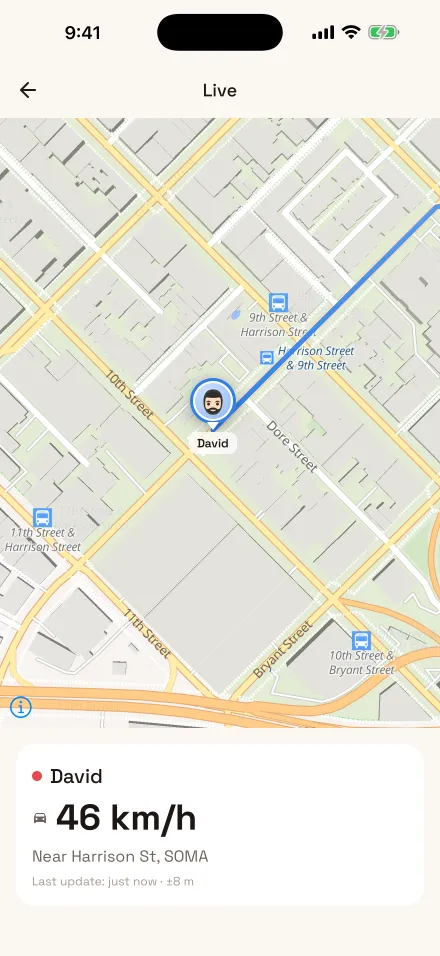
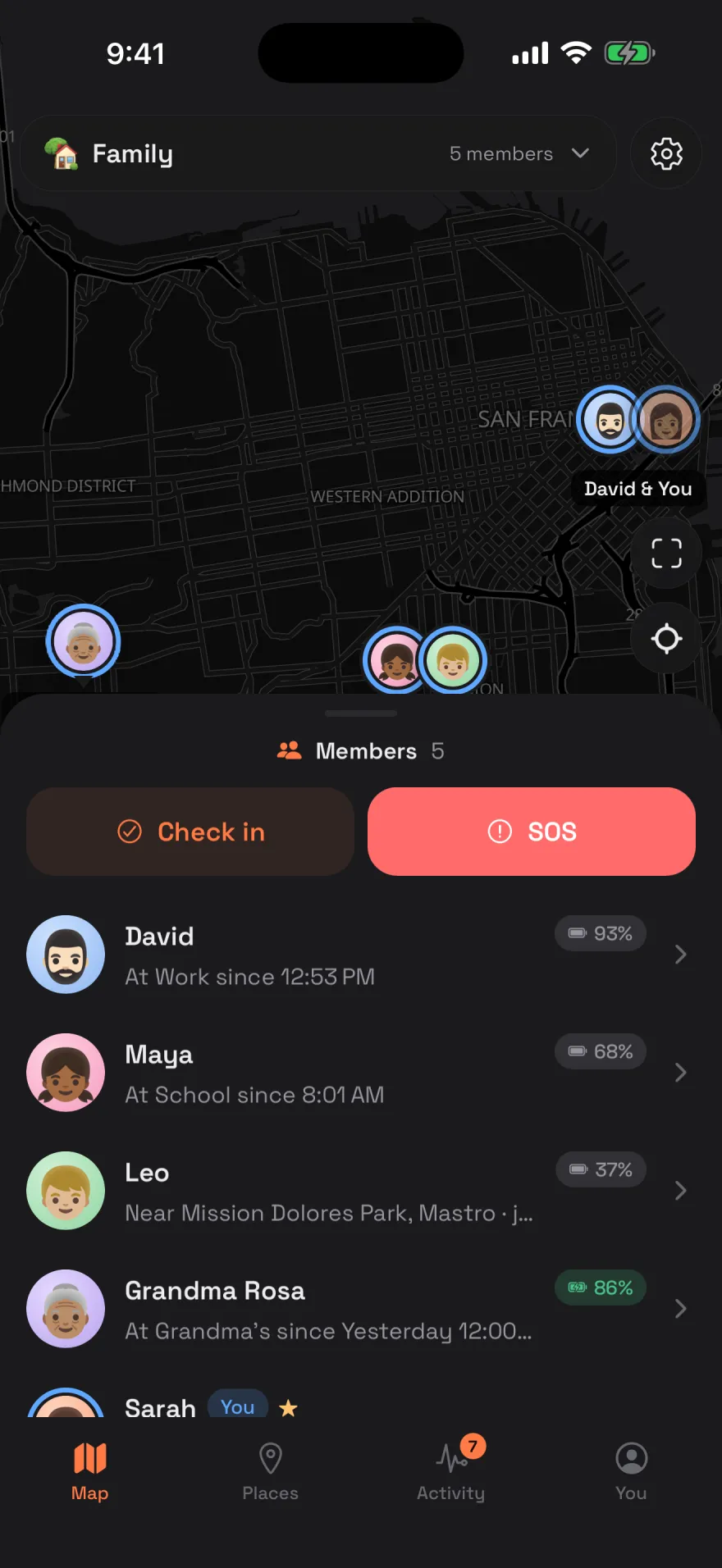
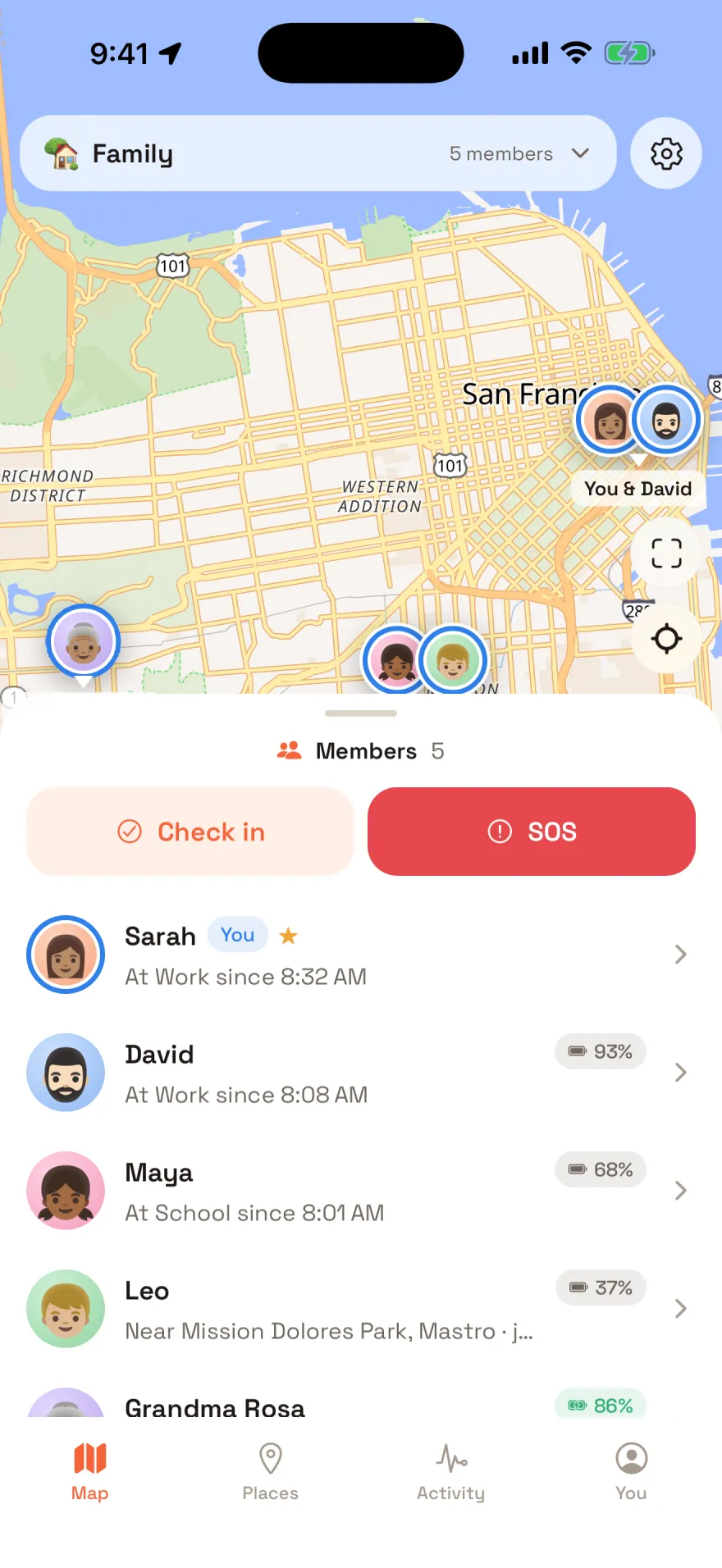
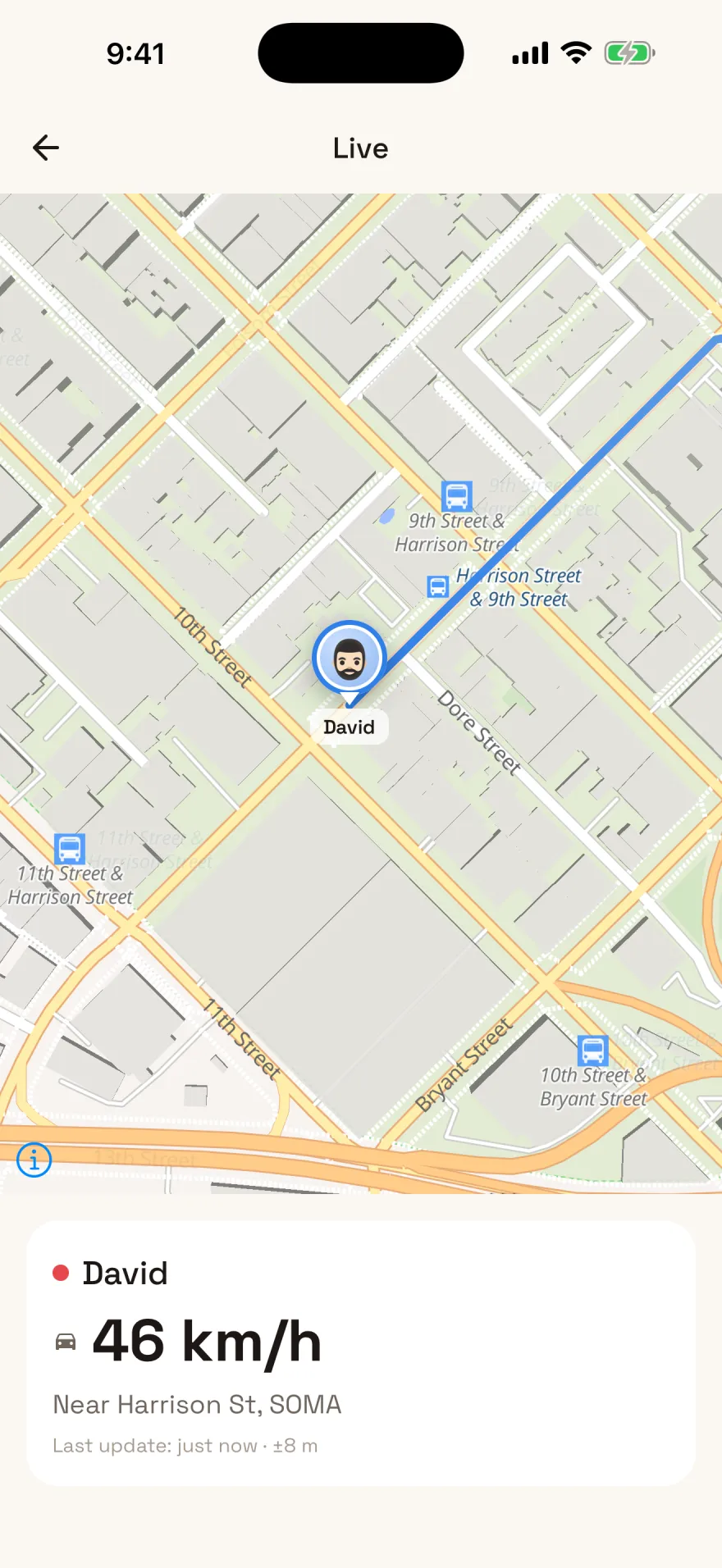
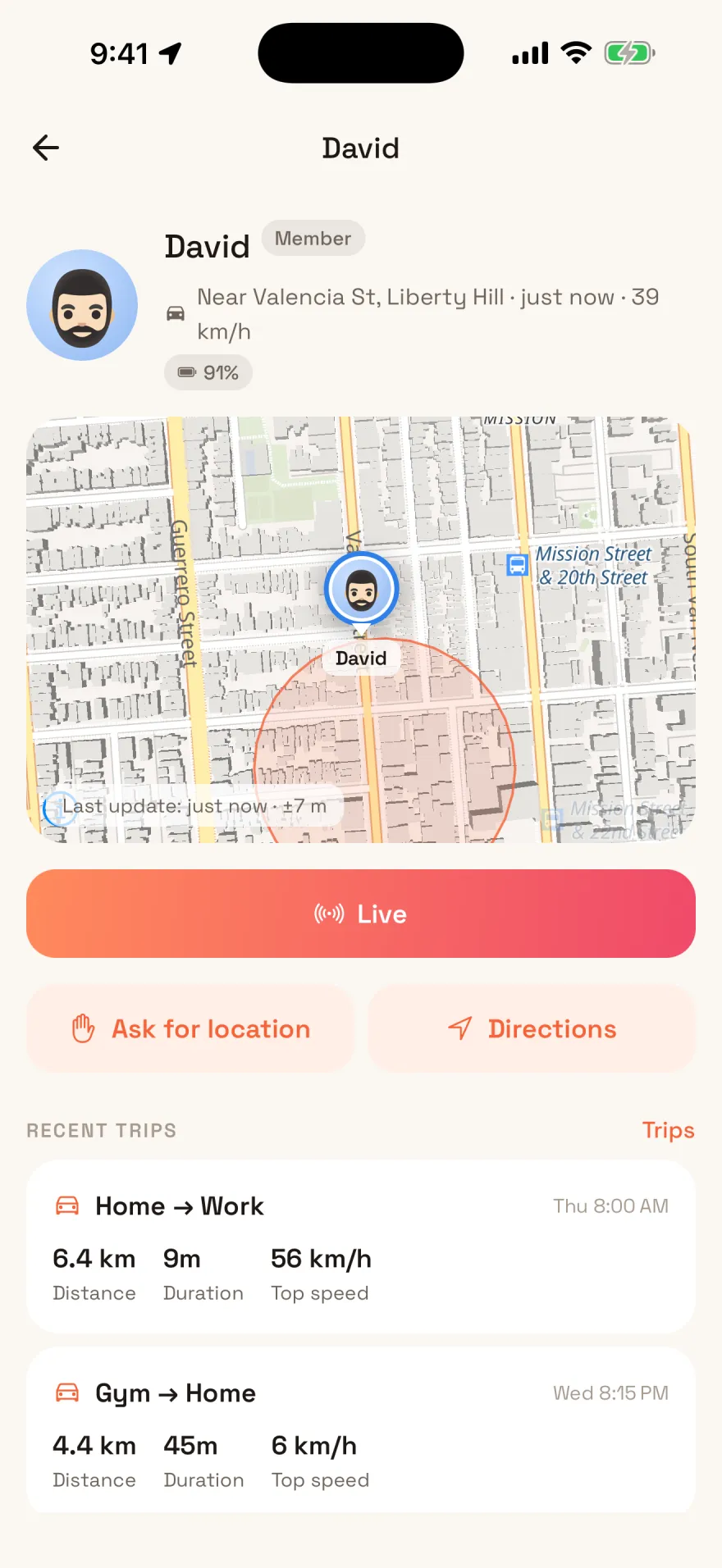
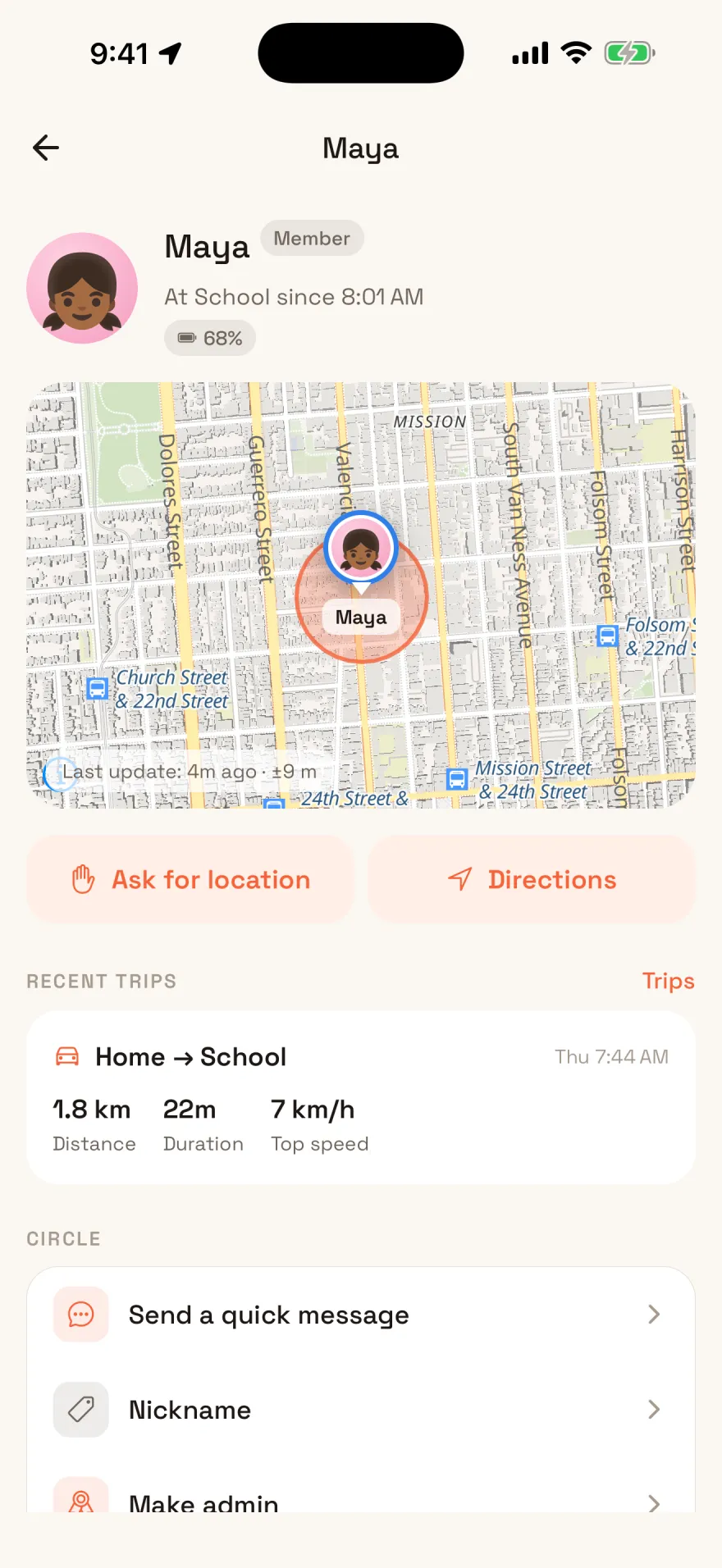
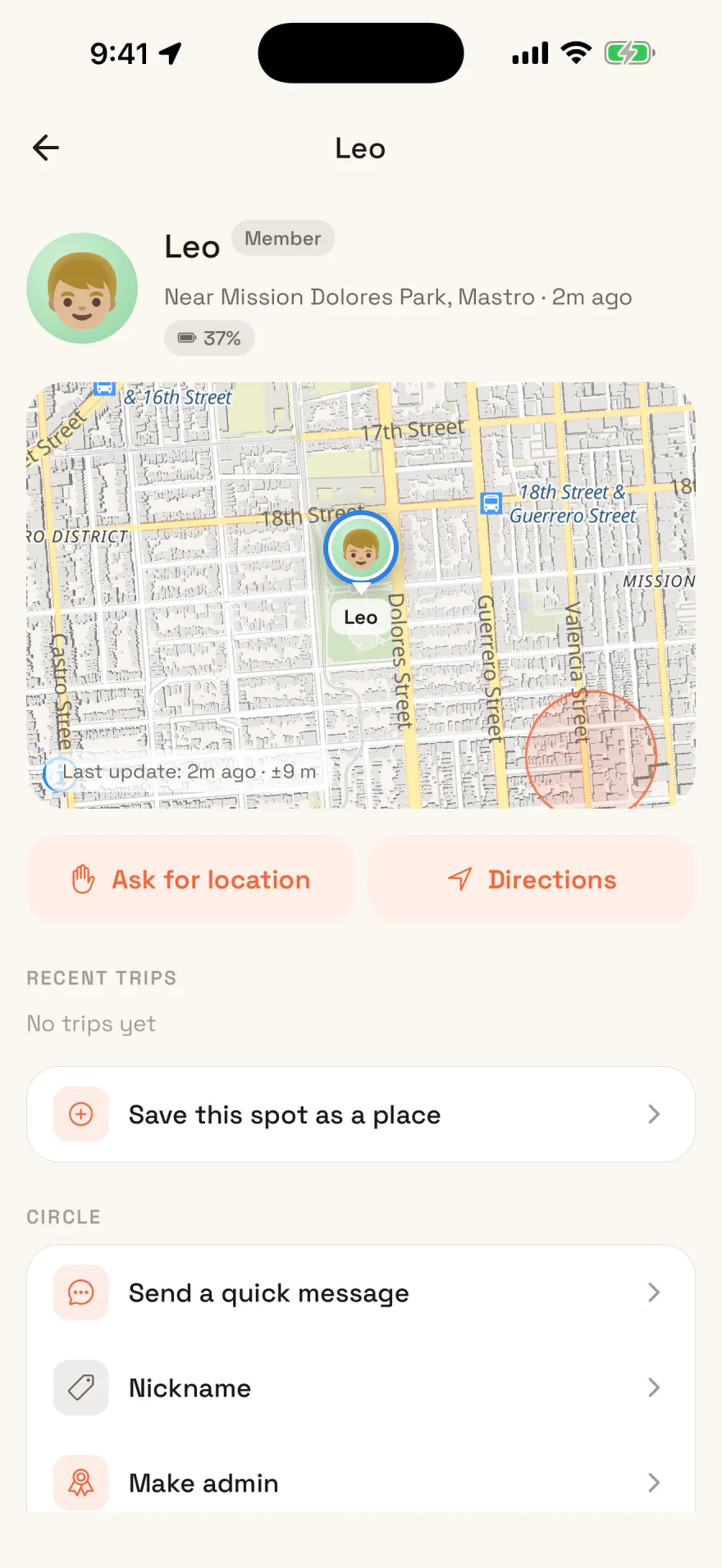
Everyone's position with battery level, whether they're walking or driving, and how long ago it arrived. Live over a websocket while the app is open.
Every commercial family safety app keeps your positions on its own servers, under a privacy policy you do not control and they can change. Hearth has no servers. It runs on yours, and there is nobody on the other end to sell anything to.
Coming soon to the App Store and Play Store. The apps are built, tested and in review, so for now you build it yourself.
Inside the app
Every picture on this page is the app itself: a release build, running against a server with a made-up family on it.
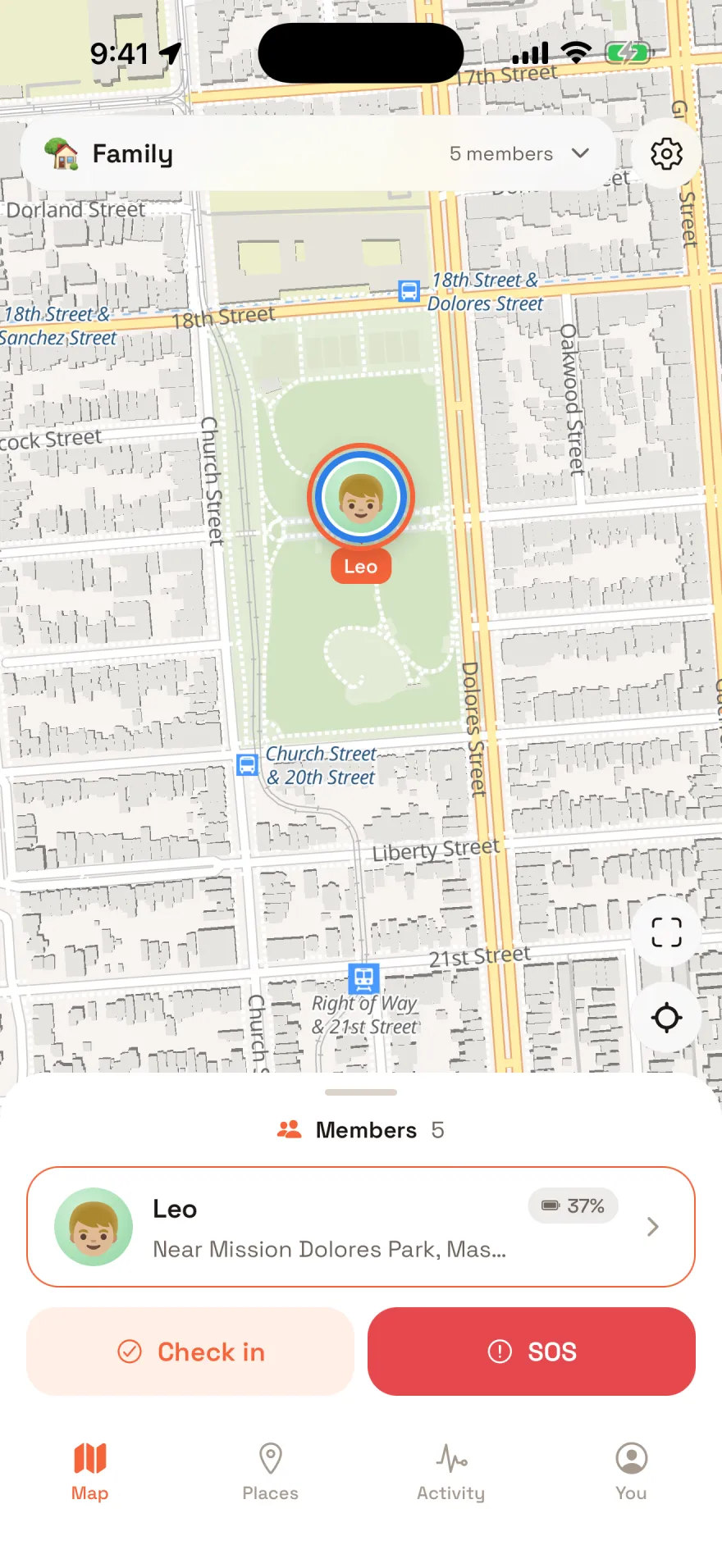
Open Live on anybody who shares precisely with you, driving or standing still, and their phone sends a fix a second, with speed and street, for as long as you keep the page open. Within seconds of the last person watching leaving, it goes back to its usual pace.
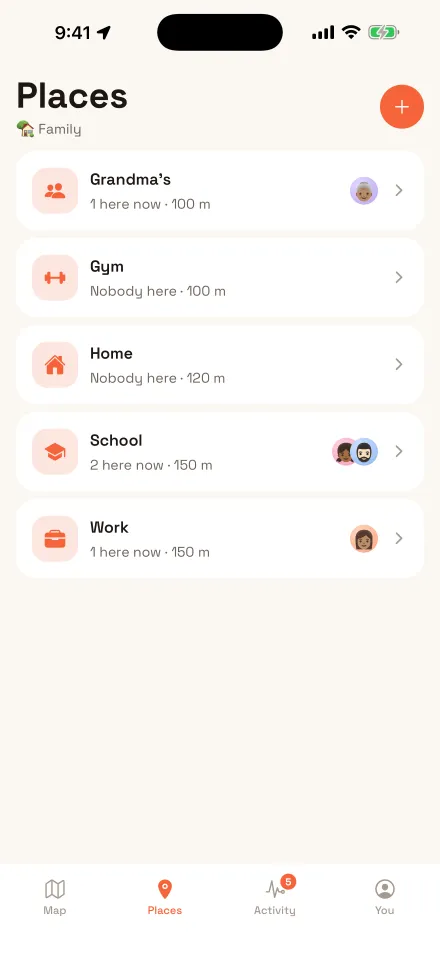
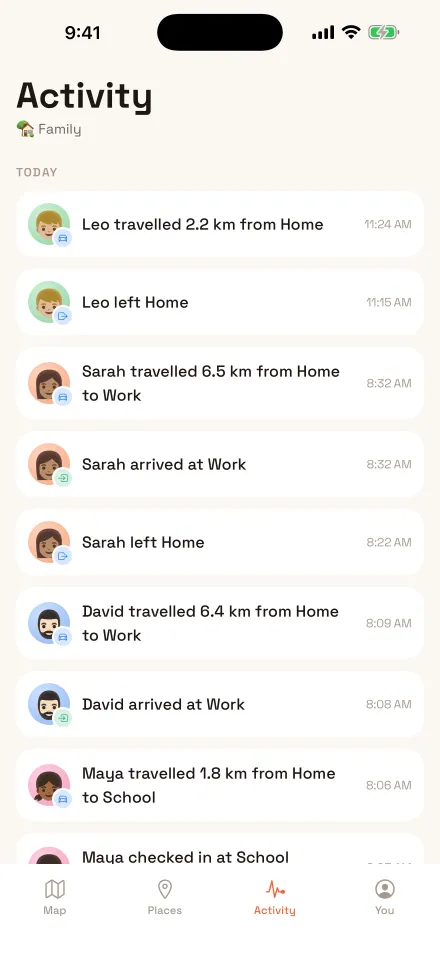
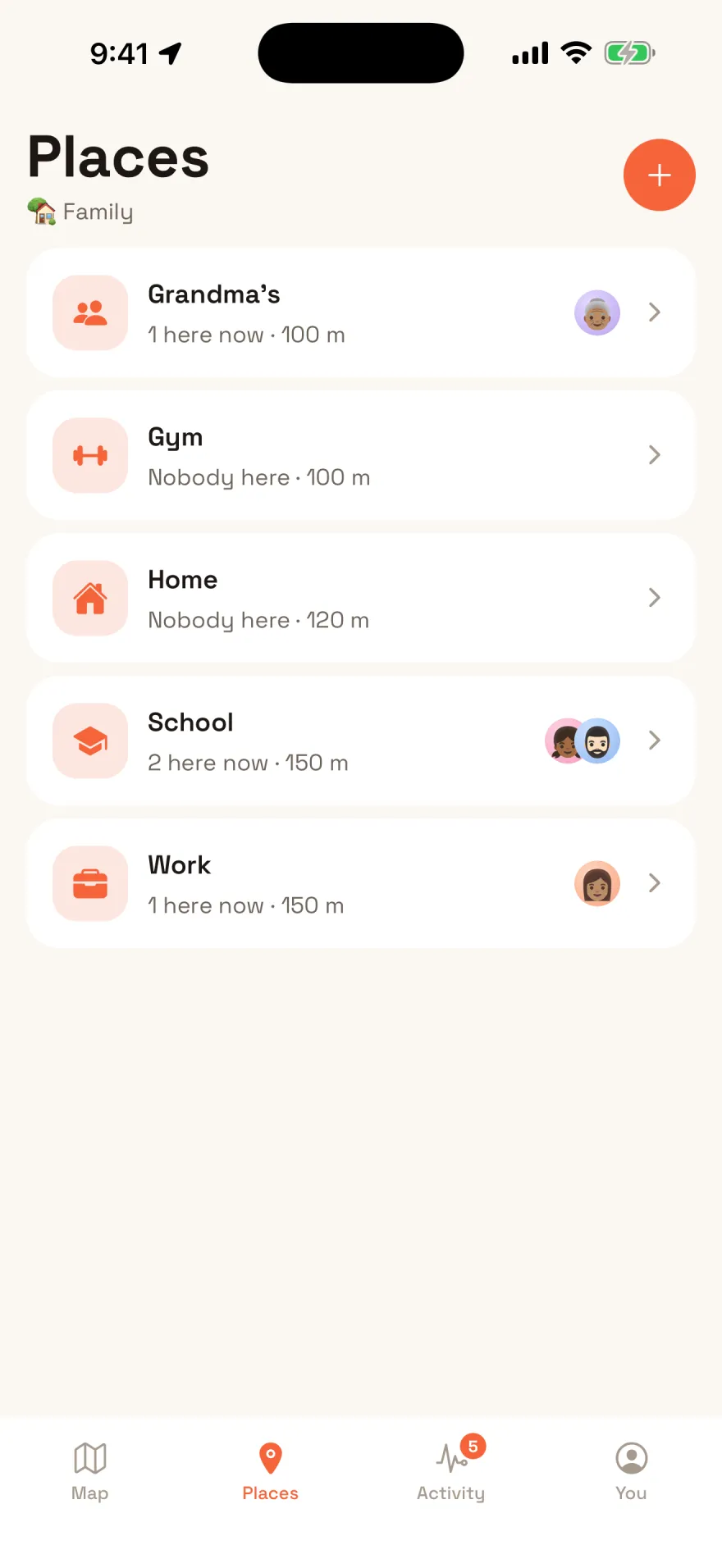
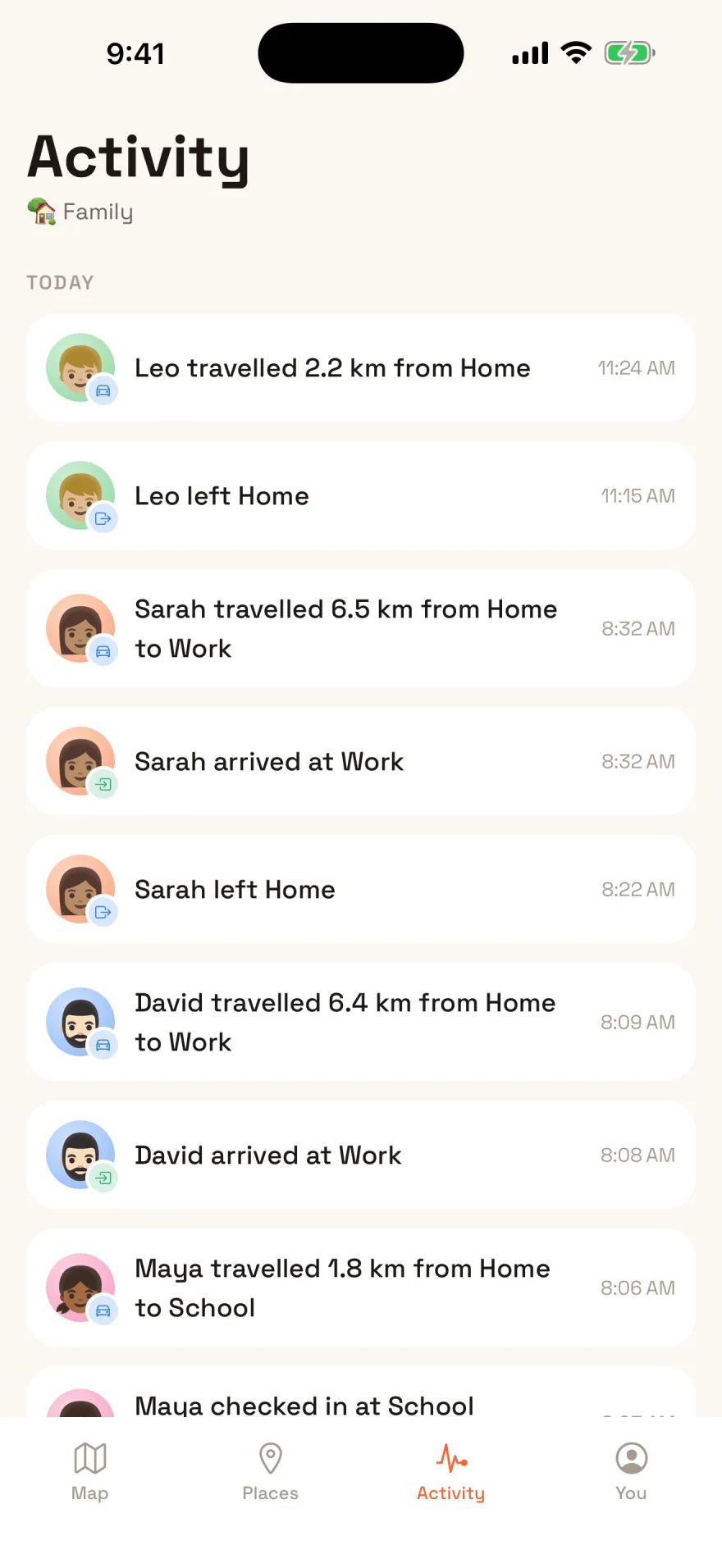
Draw a circle around home, school or work. Arrivals and departures land in the family feed next to every trip, and on everyone's lock screen once push notifications are set up.
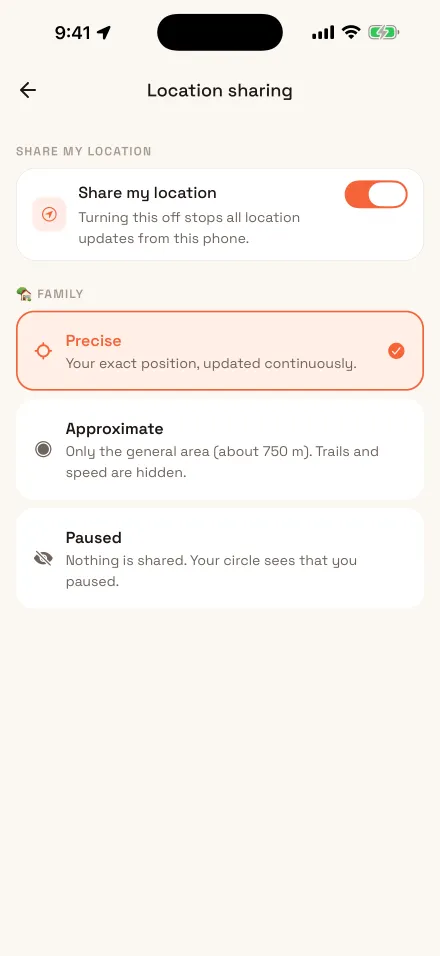
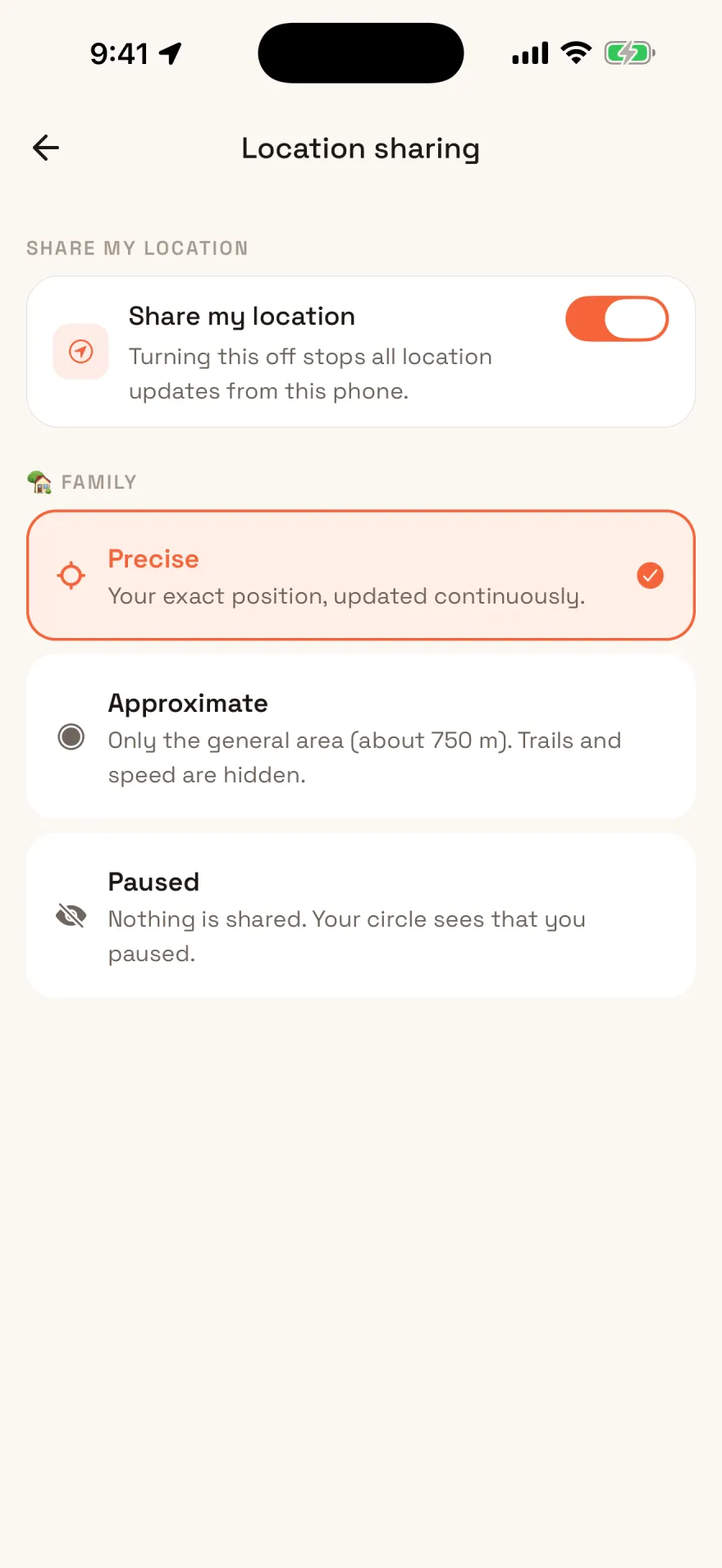
Precise, an area about 750 metres wide, or paused, set separately for each circle. Turn off Share my location and the phone stops reporting altogether.
What it does
None of it phones home. Every feature below runs against the server you control.
Everyone's position with battery level, whether they're walking or driving, and how long ago it arrived. Live over a websocket while the app is open.
Draw a circle around home, school or work and everyone is told on arrival and departure. Leaving needs more distance than arriving, so a phone sitting on the boundary doesn't spam the family.
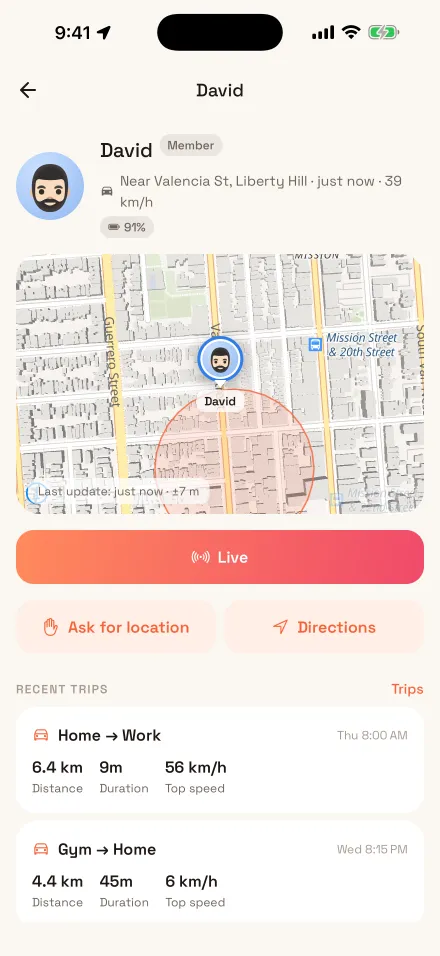
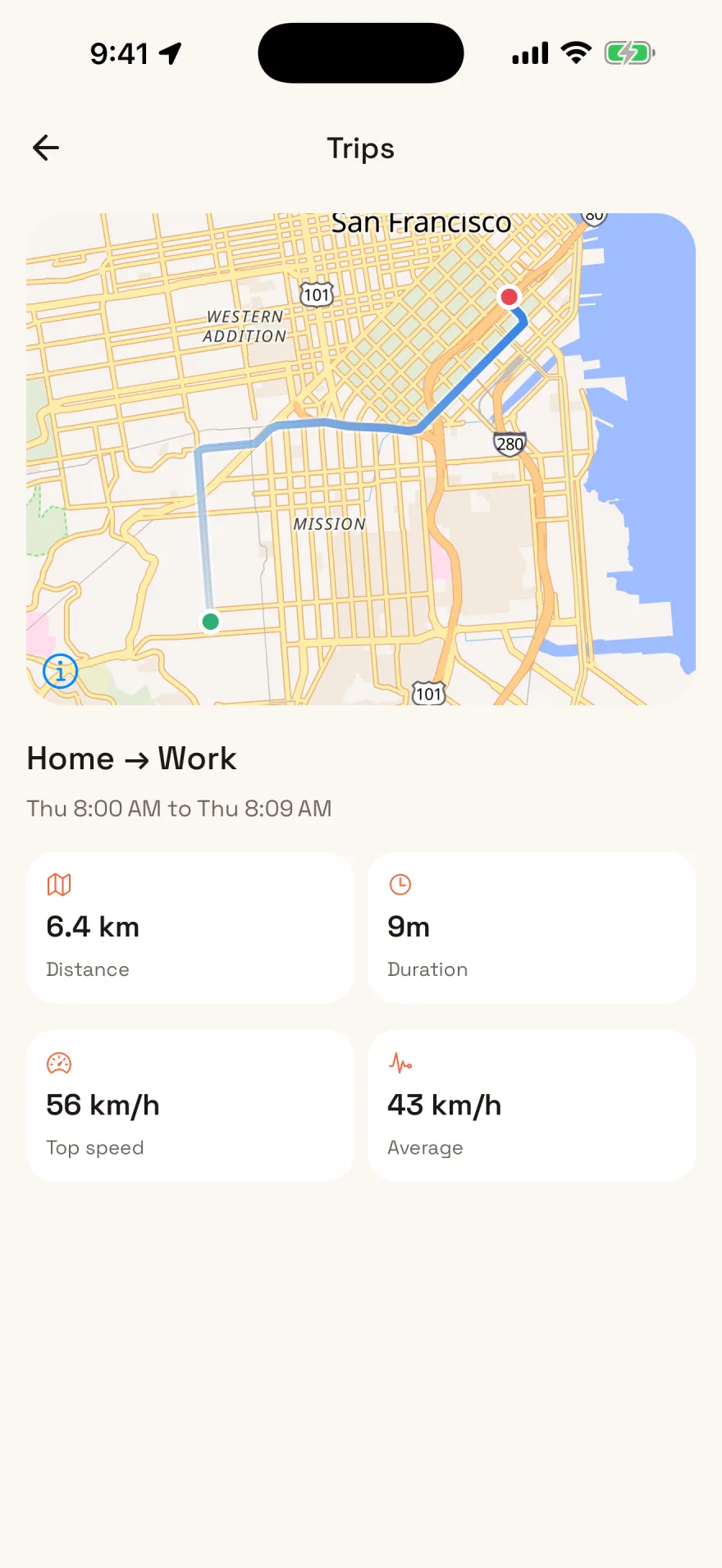
Journeys are detected and drawn as a trail with distance, duration and top speed. You choose how many days the server keeps, or none at all.
Hold to raise an alert that reaches everyone at full volume with your position. Or send a quiet "I got here safely" when that is all it needs to be.
Speeding, low battery, and a crash the phone works out from its own accelerometer, gyroscope and barometer. It asks you first, and only silence raises the alarm. The family sets each one, and speeding and crash alerts stay off until it turns them on.
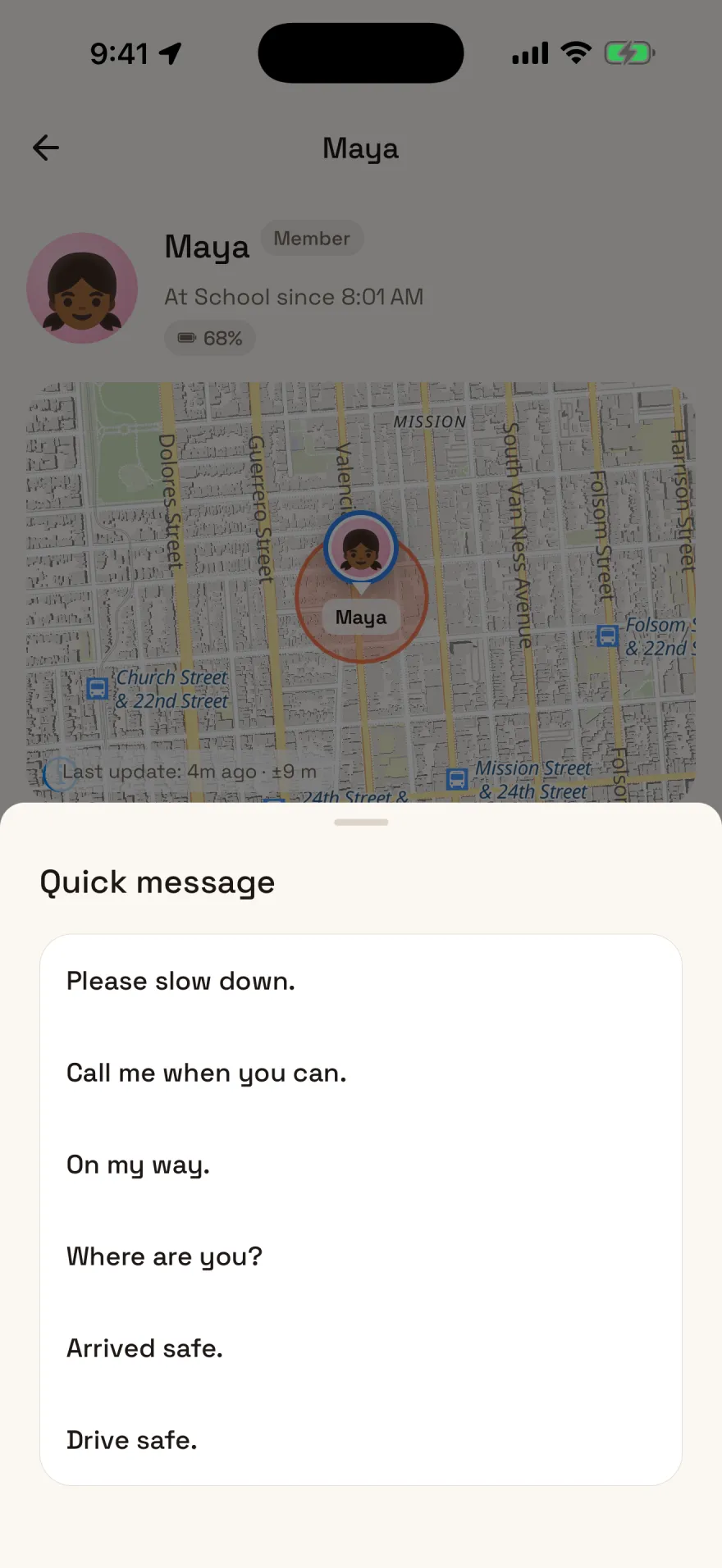
See that someone was driving at 95 and send them "slow down" in one tap. It goes to that one person, shows on their map, and lands in the family feed.
Every screen
Why bother
A family safety app is only as private as whoever runs it. There is no company running Hearth, no account with us, and no analytics, ad network or crash reporter anywhere in the app. When you stop running the server, the data is gone, because it was only ever yours.
Self-host
Postgres and MinIO come with it, migrations run on first boot, and the bucket creates itself. The server is a published image, so upgrading is a pull, not a rebuild. If you already run anything behind a reverse proxy, this will feel familiar.
docker-compose.yml and .env, and set
JWT_SECRET, PUBLIC_URL, ADMIN_EMAIL,
ADMIN_PASSWORD and the database and storage passwords.
services:
  api:
    image: dhqureshi/hearth-api:latest
    env_file: [.env]
    ports: ["127.0.0.1:4000:4000"]
depends_on: [db, minio]Map tiles are fetched from a public tile server by default, which sees roughly what part of the world you are looking at. Point that setting at your own tiles and even that stops. Street names come from the phone's own maps service, Apple's or Google's, which is sent each spot it names. They are on by default, and one switch in the app turns them off. And if you turn on push through a hosted relay, notification payloads go through it, which is why the default is no push at all rather than a convenient default that quietly costs you something. An Android build that includes Firebase for push also registers the phone with Google when it starts.
The features above are built and tested, and it runs a real family. It has not been through a security audit, and Android has had less device testing than iOS. The store builds are still in review, and they won't carry the maintainer's own push keys, so push only fully works in a build you make yourself. Read SECURITY.md before you point it at the internet.